Your Mac, everywhere.
Control your Mac from iPhone, iPad and Apple Vision Pro. Encrypted end to end, fluid at 60 fps, with no ports to open and no passwords to remember.1
Mac app free · macOS 26 or later · One-time purchase: no in-app purchases, no ads, future updates included
Everything you love about your Mac. Nothing in the way.
Post-quantum, end to end.
Screen, keys, clicks, even your unlock password travel encrypted from device to Mac. No middleman server, no account. Identities are sealed in the Secure Enclave.
AES-256-GCM · ML-DSA-87 + P-256
Hardware HEVC from your Mac’s own media engine. If Wi‑Fi struggles, detail drops — never fluidity.
MAControl crosses your router by itself. Without your device’s key, the Mac doesn’t even answer.2
A single Mac app, shaped for your screen.
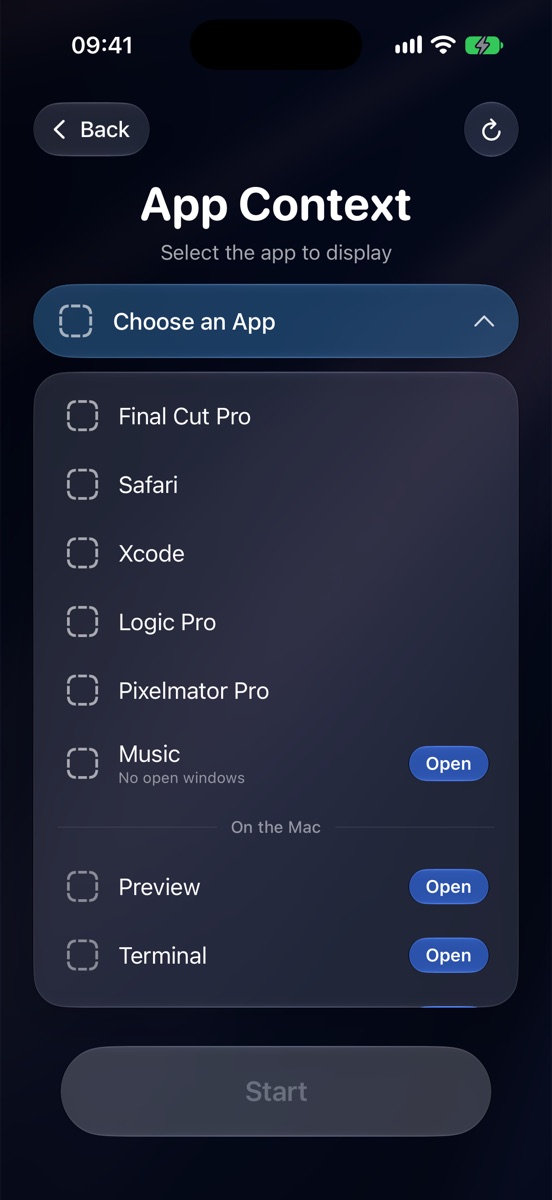
App Context streams just one app and resizes its window for the device in your hands. Or take the whole screen, or a crop that follows your pointer.
No Wi‑Fi? Connect anyway.
In Peer to Peer mode your iPhone talks straight to the Mac next to you: no router, no Wi‑Fi network. It’s the same technology as AirDrop, as smooth as your home network and with the same end‑to‑end encryption. Just keep Wi‑Fi switched on on both devices, even with no network around. And if your network drops mid‑session, MAControl switches over on its own.
Three ways to hold your Mac.
Pick the view that fits the moment.
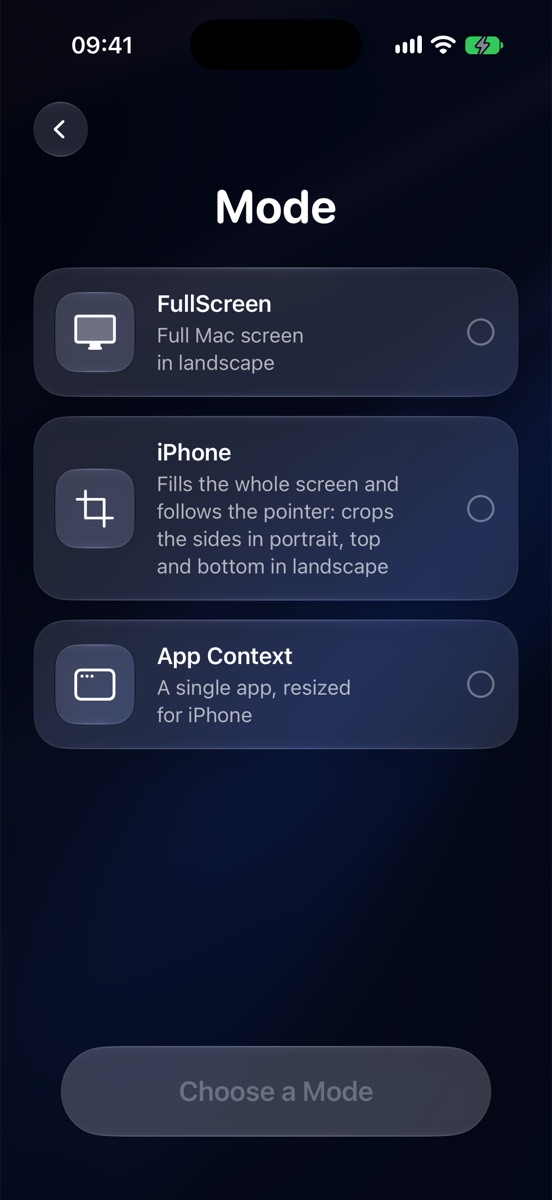
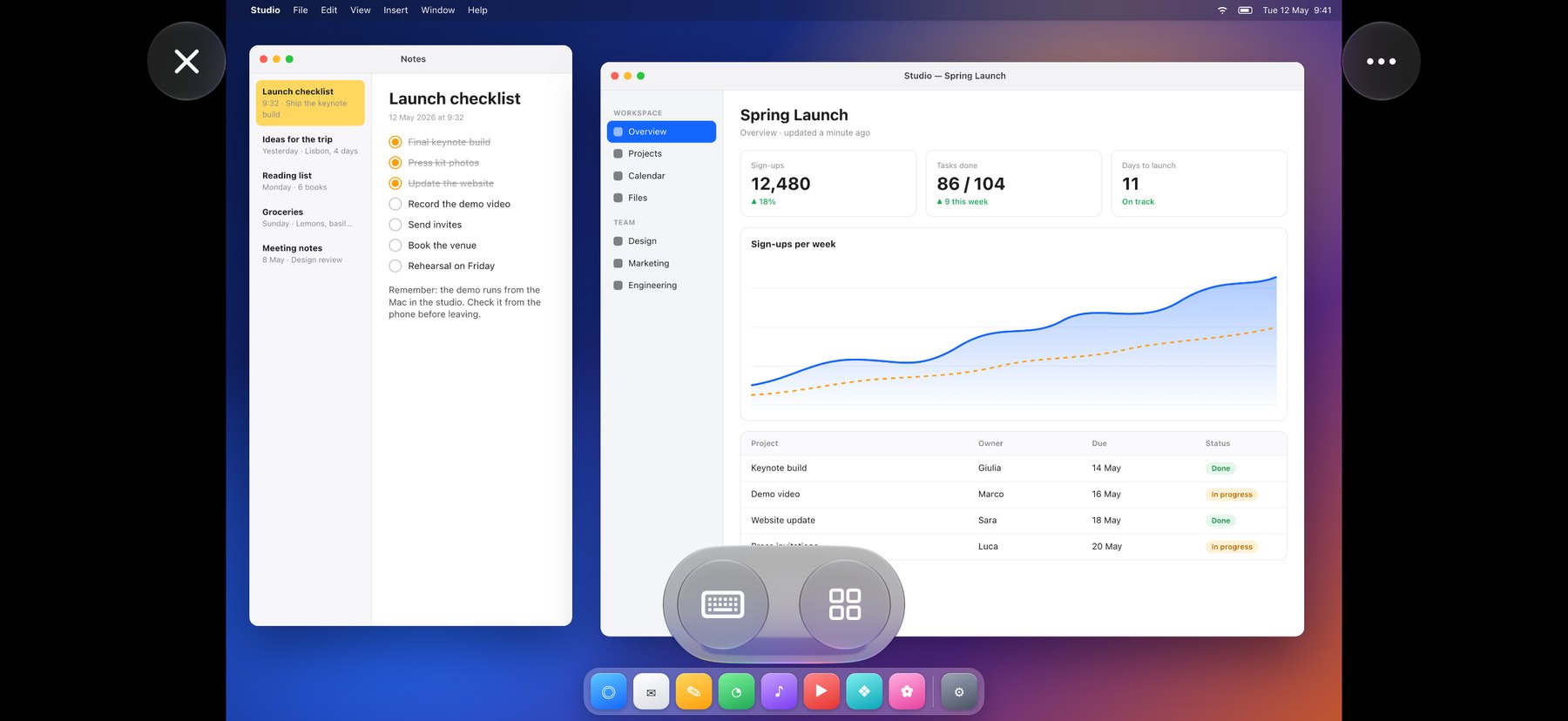
FullScreen
Turn the iPhone sideways and the whole desktop is there: every window, the menu bar, the Dock. Ideal for keeping an eye on a render, a download or a build.
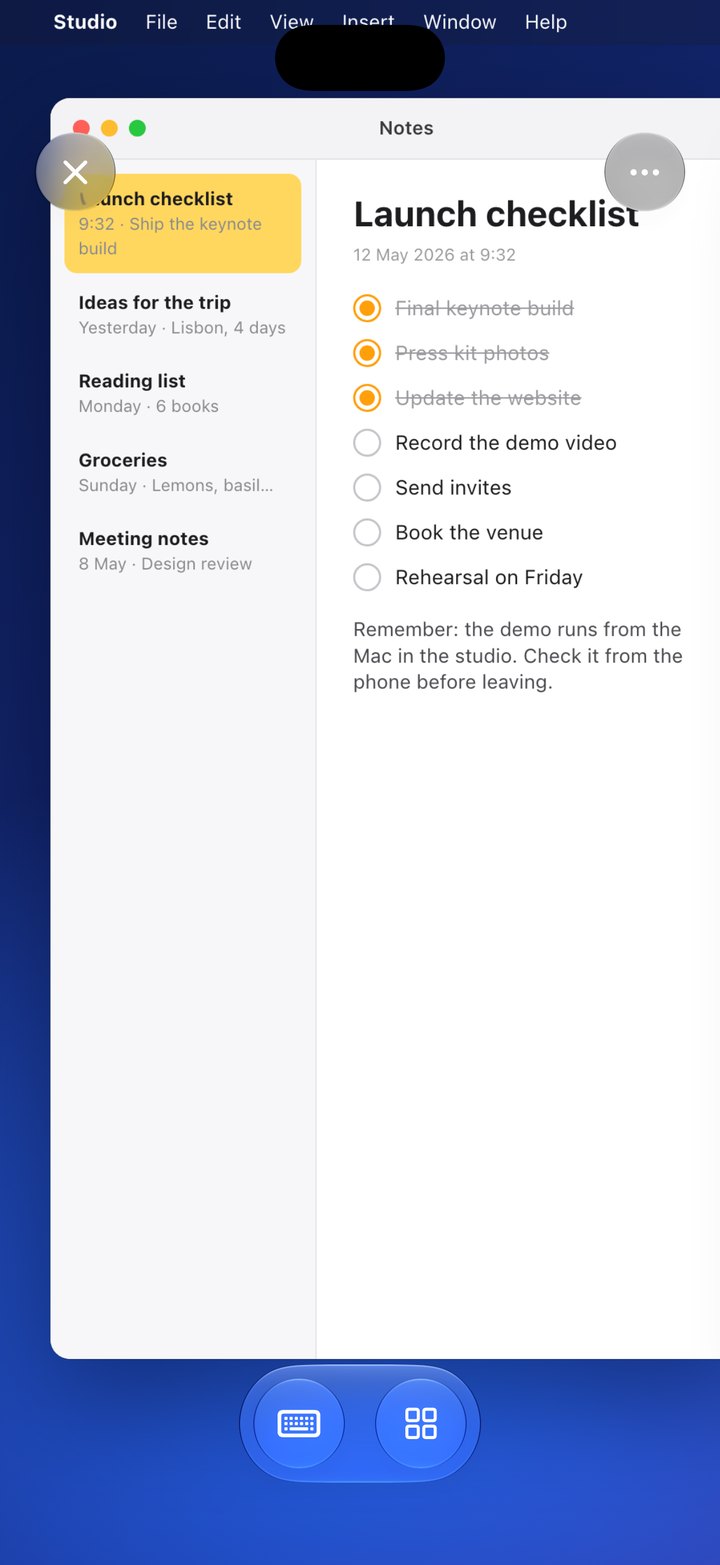
Crop
The Mac screen at a size you can read, held upright in one hand. The view follows the pointer: tick off a note, answer a message, close a dialog.
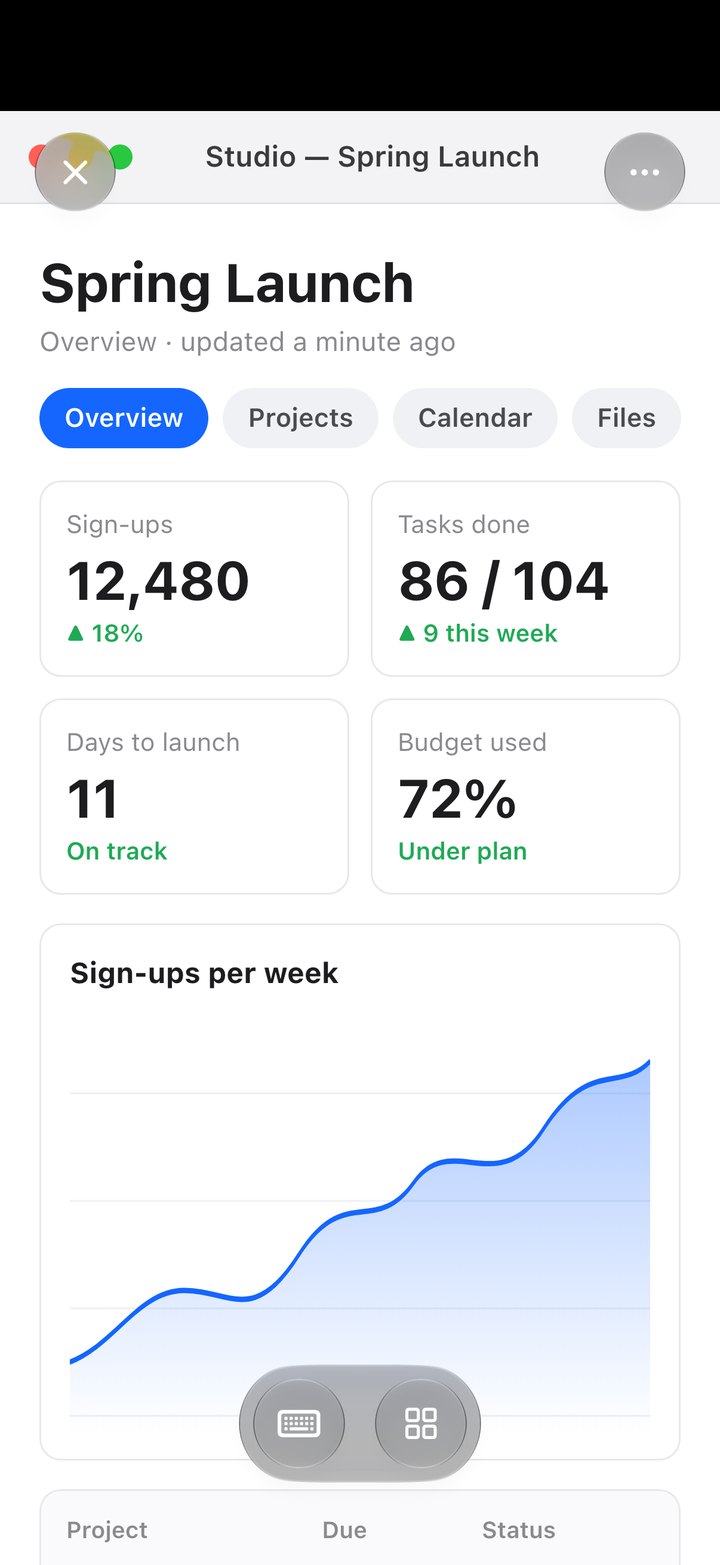
App Context
Just one app, with its window resized to fit your iPhone. It feels like an app on your phone, but it’s running on your Mac.
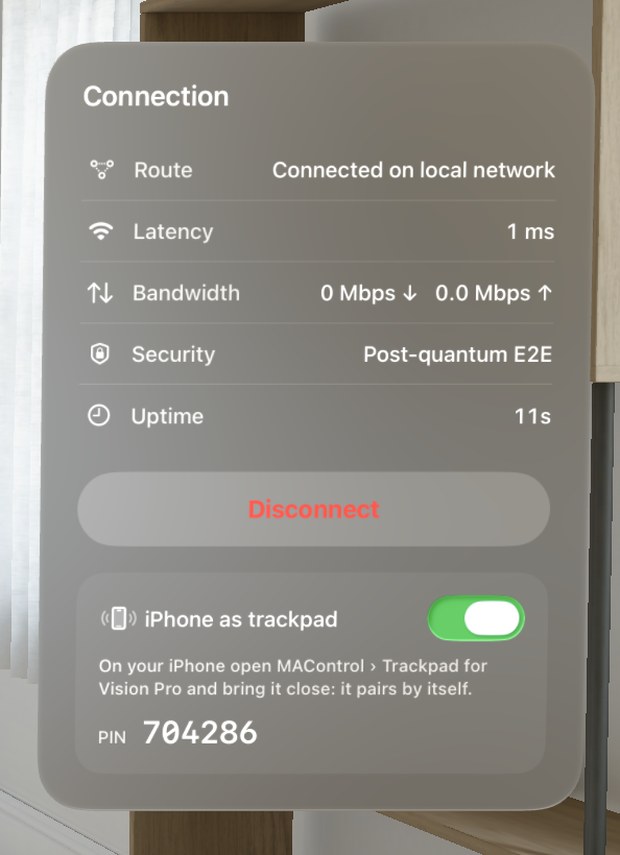
Your Mac, in your space.
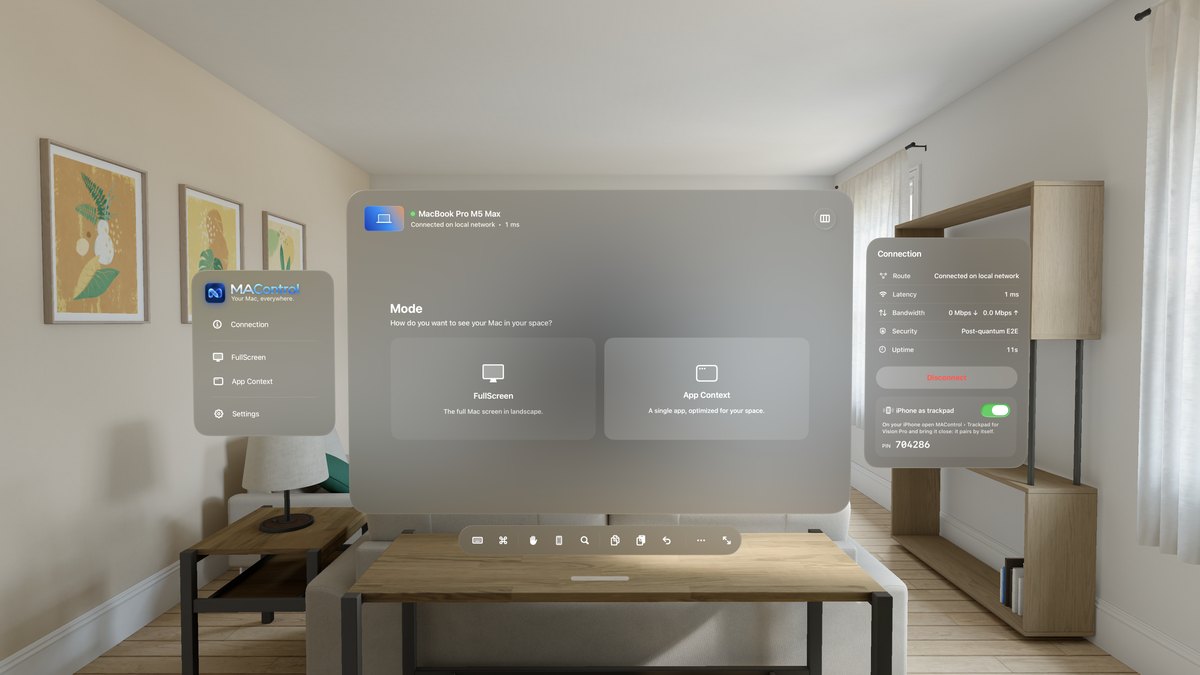
The Mac stops being a rectangle on a desk. It becomes a window you place in the room, as large as you like.
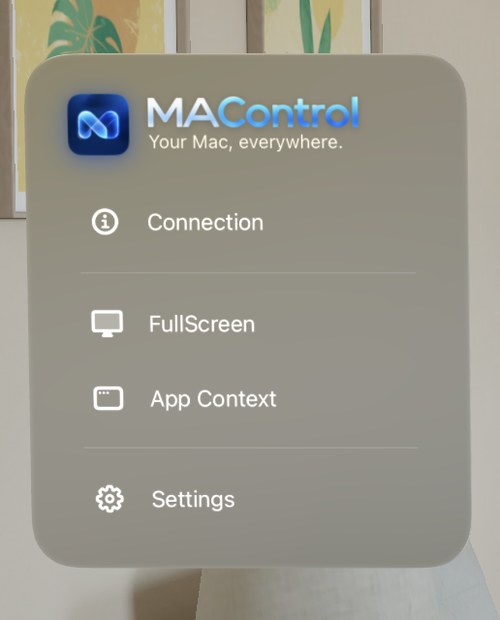
- 1Two ways to see itThe whole screen, or a single app sized for your space.
- 2Always know your linkRoute, latency, bandwidth and security, live in a floating panel.
- 3iPhone as a trackpadOpen MAControl on your iPhone: Vision Pro finds it and connects by itself.3
Hands, keys, trackpad. Your choice.
iPhone becomes your trackpad and keyboard
Open MAControl on your iPhone and pick it from the headset. No codes to type; with the same Apple Account it connects by itself. Move the pointer, click, drag, scroll and use Mac gestures while you look at the screen floating in your room.3
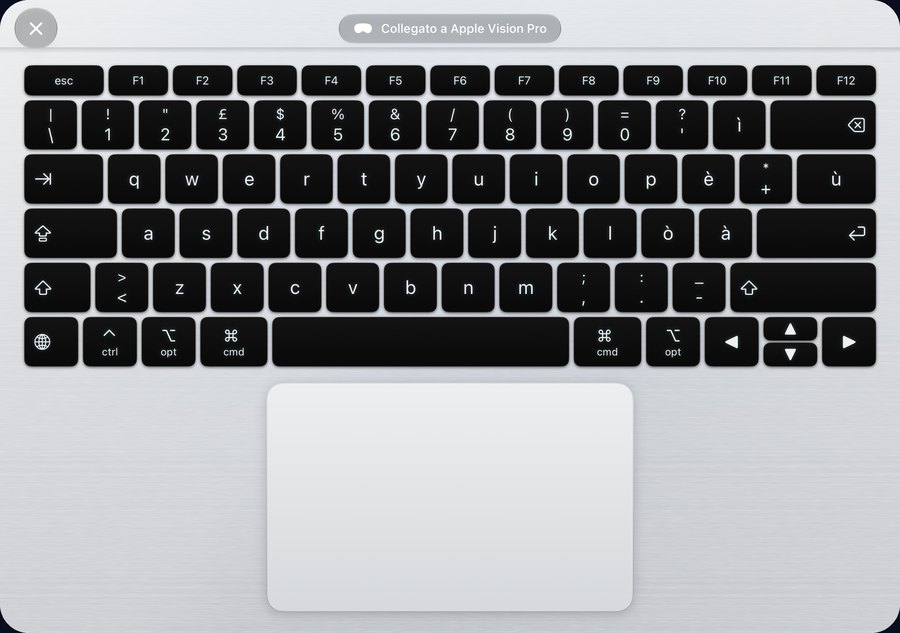
The right keyboard at the right time
Click a text field on the Mac and the keyboard appears by itself. With iPhone connected as a trackpad you type there: the headset keyboard steps aside, and comes back when you disconnect.
Gestures in the air
Swipe three fingers sideways to change desktop, up for Mission Control. Two fingers for Notification Center. Thumb and middle finger for a right click.3
Big screen, exact proportions
The window takes the shape of your Mac’s display, with no black bars. One tap and it grows as large as it can.
Mac commands, always at hand
⌘, copy, paste, undo, Spotlight, app switching and Lock Mac, all in one toolbar.
Fold it. It’s a MacBook.
Open iPhone Duo in an L and rest it on the table: the lower half becomes the keyboard and trackpad of a tiny Mac. Close it, and it steps back.
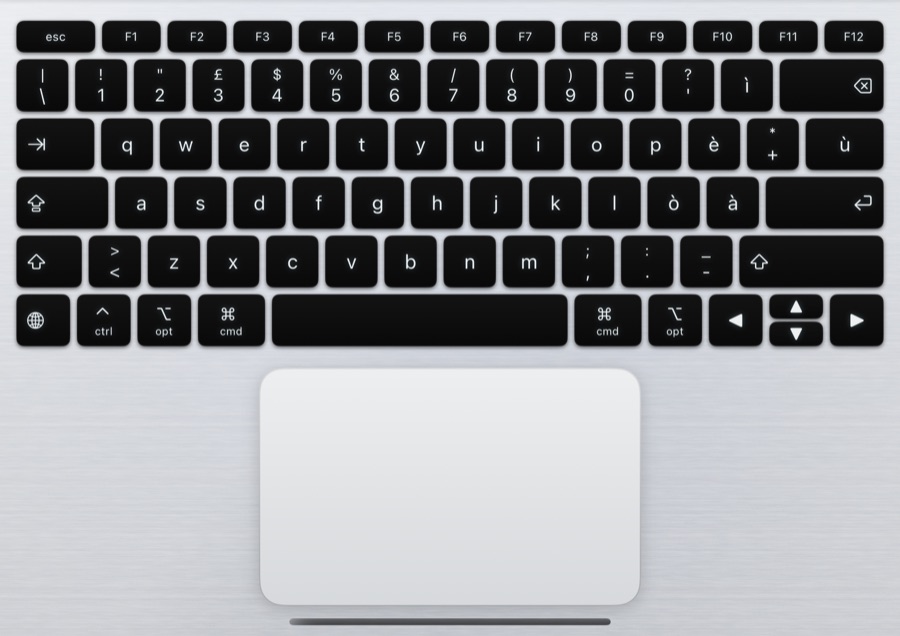
A real keyboard
Function row, arrows and modifiers, laid out like a MacBook. Every key goes straight to the Mac.
A real trackpad
Click, drag, scroll, plus the Mac’s gestures: desktops, Mission Control, Notification Center.
Silver or Space Black
Brushed aluminium finishes. The app reads the hinge and gravity, and flips itself if you turn it round.
As fluid as if the Mac were right here.
Your devices talk straight to your Mac over QUIC, with no relay in between. And when one path is closed, MAControl already has another.
Pay once. Keep it forever.
The Mac app is free. The client for iPhone, iPad and Apple Vision Pro is a one-time purchase on the App Store: no in-app purchases, no ads. It’s yours forever, and all future updates are included.
MAControl for Mac
- Lives quietly in the menu bar
- Access from home and away, no ports to open
- Security alerts and access log
- Requires macOS 26 or later
MAControl client
- Full screen, crop and App Context modes
- Laptop mode on iPhone Duo
- iPhone as trackpad and keyboard for Vision Pro
- Post-quantum end-to-end encryption
- No in-app purchases · no ads
- Yours forever · future updates included
Ready in three steps.
Install it on your Mac
Download the .dmg, drag MAControl to Applications and open it. Grant Screen Recording and Accessibility once.
Pair your device
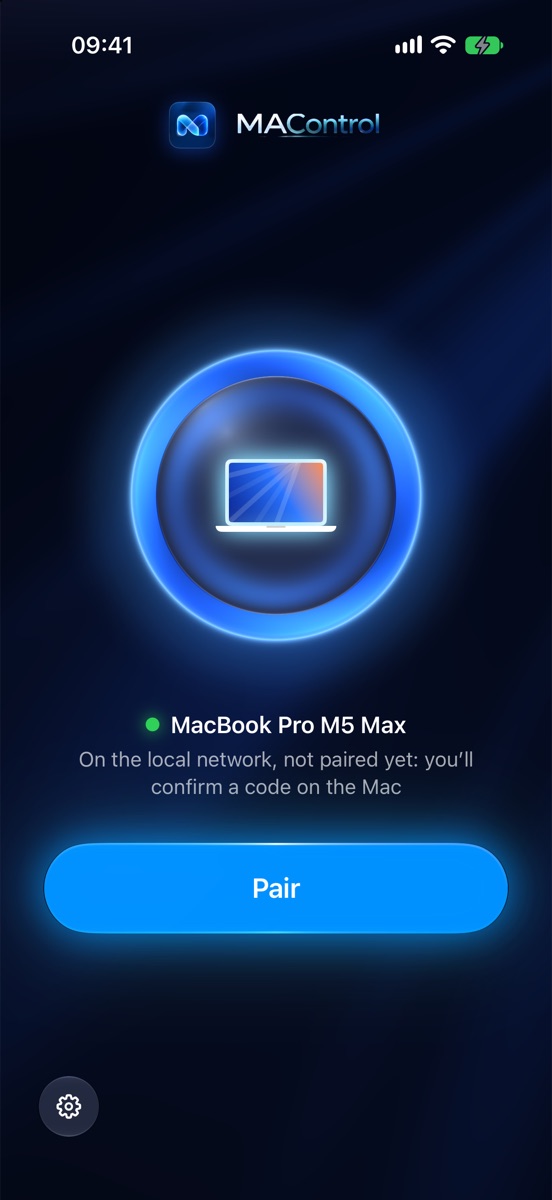
Open the app on iPhone, iPad or Vision Pro. Your Mac appears by itself: tap Pair and confirm the six-digit code on the Mac.
Take it anywhere
On the Mac, choose Access Away from Home and press Turn On. From then on it works everywhere, even on 5G.8
Q&A
Do I need to open ports on my router?
No. The automatic connection crosses the router by itself. Only the strictest networks need a guided rule or a VPN such as Tailscale, and the app walks you through it.2
Do I need an account?
MAControl has no account or password of its own. Away from home it uses your iCloud, where your Mac’s address is stored encrypted end to end.8
Does it work on cellular?
Yes, even on 5G. Quality adapts to the bandwidth available while you work.6
What if my Mac is asleep or locked?
A sleeping Mac can’t be reached from outside, so leave it on, even with the display off. If it’s locked, you can unlock it from the app: the password travels encrypted and is never stored.
Which languages does it speak?
English, Italian, German, Spanish, French, Japanese, Korean, Brazilian Portuguese, Russian and Simplified Chinese. MAControl uses your device’s language automatically.
What does “lifetime support” mean?
You pay once for the client. There are no in-app purchases and no ads: the app is yours forever, and future updates and support are included, with no subscription.7

Your Mac, everywhere.
Launch price €9 €15. Pay once: no in-app purchases, no ads, future updates included.7